User Flow
To give my app a rundown of how it can function I had to create a user flow. A user flow is a chart showing the path a user may take whilst interacting with the application to complete set tasks. Such as signing up or logging in, or general browsing.
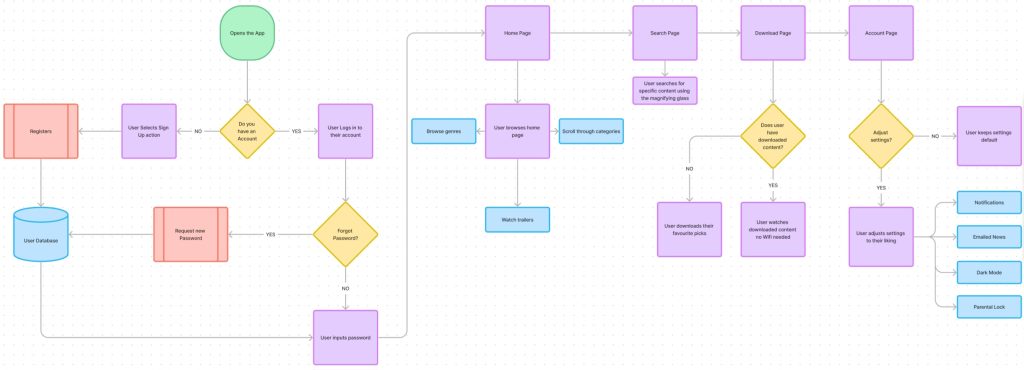
The user has a start point (green rounded square) and shall work their way to the first question/ goal. In my flow the first goal is the onboard process, if the user has to log into their account or sign up. However at this point of design the way to enter the app is to continue as a guest but thats later seen in my app design post. Next part of the users journey may be browsing certain categories. They can do that by browsing the homepage in selected genre categories, or they can go to the search page and search for a specific film/ series. Because of the type of app this is the main goal would most likely result in the user picking and watching their specific movie, however the app still features a section for the user to edit their profile and preferences.
User Flow Figma Link
https://www.figma.com/board/w0rWkPOW5oSazIoDnyJUla/Star-Studio-User-Flow?t=ZGVqeKcgOiMRzmzO-0
Wireframe
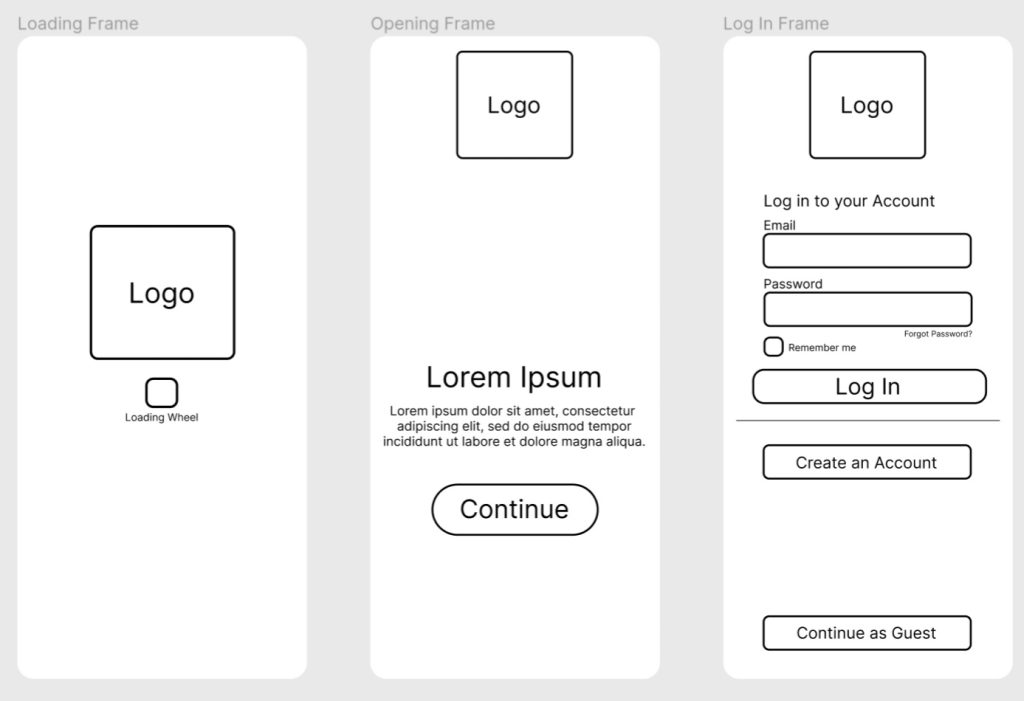
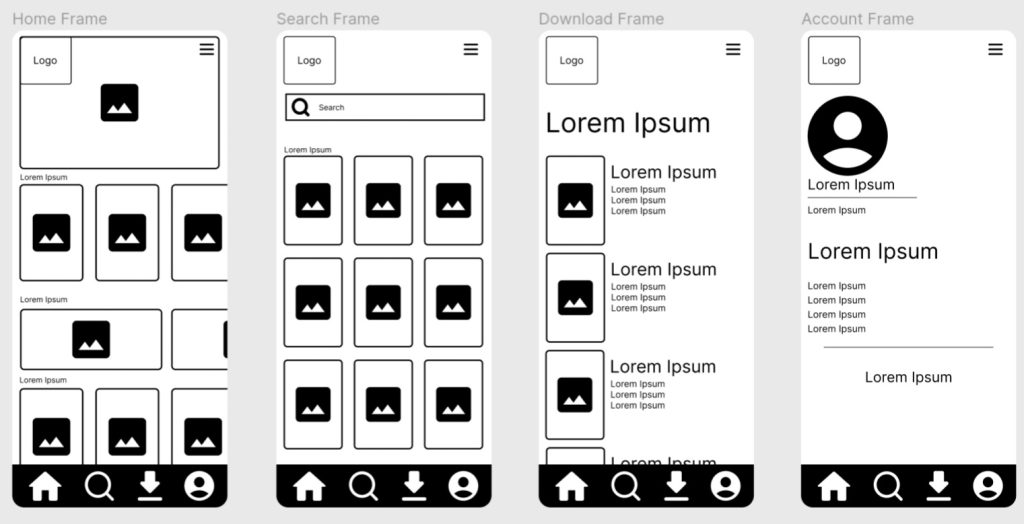
For my low fidelity design I created a UI Wireframe. Wireframes are one of the lowest points of design process as they are usually created before the medium fidelity. They give the designer and idea of placement and how each page shall interact with each other. They lack basic text and colour as thats usually incorporated in the next fidelity, however thats not every time. This wireframe doesnt only show my four main pages (Home, Search, Download and Account) but also gives me an idea how I may create my onboard process. Whether thats a welcome page or a sign in page. Or perhaps both.
UI Wireframe Figma Link
https://www.figma.com/design/HyizDbGSciDepMKZkwTduH/Star-Studio-App-Wireframe?t=ZGVqeKcgOiMRzmzO-1
0 Comments